
Most doorbell cameras are installed in about thirty seconds, screwed onto whatever bracket the old chime left behind, and aimed entirely by accident. The result is familiar: a beautiful view of the street, a glare-washed porch at 8 a.m., and a chin-only recording of the one visitor who actually mattered.
Good doorbell camera placement is not about buying a sharper sensor. It is about height, angle, light and detection geometry, in that order. Get those four right on a mid-range unit and it will outperform a flagship camera pointed the wrong way, every time.
Doorbell position is one part of a wider plan; our home security camera placement guide covers the rest of the house.
First decide what the camera is for
Security cameras do different jobs at different distances, and the industry has a shorthand for it: DORI, short for detect, observe, recognise, identify. Those four words describe how many pixels land on a person at a given range.
- Detect tells you something is there.
- Observe tells you it is a person, not a raccoon.
- Recognise tells you it is probably someone you know.
- Identify gives you a face you could hand to an investigator.
A doorbell camera has one job, and it is the last one. It is the only camera on most homes positioned close enough to a visitor to produce an identification-grade face. Every placement decision below follows from that. If you find yourself trading face quality for a wider view of the driveway, you are turning your only identification camera into a second detection camera, and you already have those.
Doorbell camera placement starts with height
Height is the single decision that determines whether you capture faces or scalps, and it is the one most installations get wrong by inheritance: the old wired chime sat at roughly 60 inches, so the new camera goes there too.
Why 48 inches is the working number
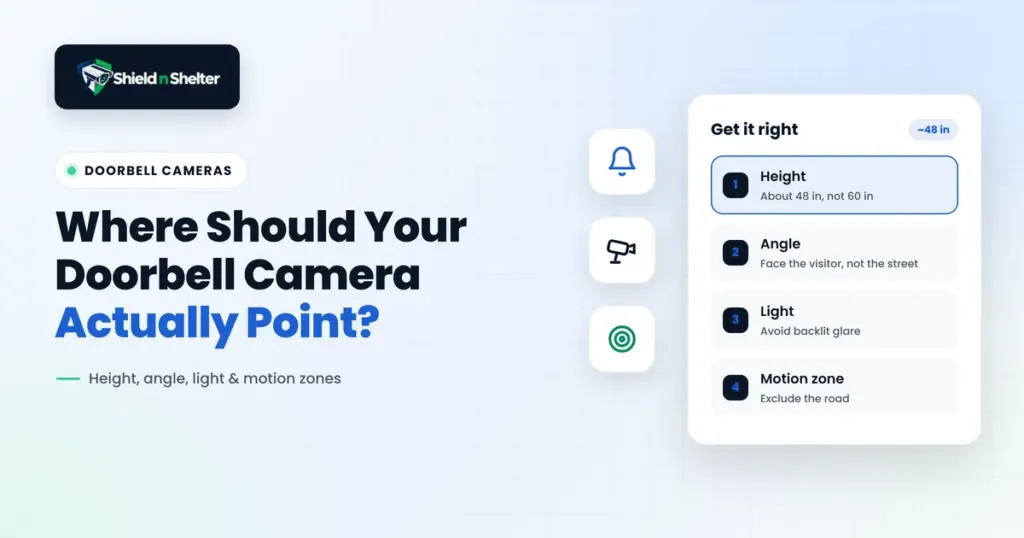
Mount the lens at roughly 48 inches (122 cm) above the porch floor, or check your exact setup with our doorbell camera height calculator. At that height the centre of the frame lands on the chest and face of an adult standing at the door, and still catches the face of a child or a seated wheelchair user. It is high enough to be out of casual reach and low enough that you are not shooting down at the top of someone’s head.
What goes wrong at 60 inches
At 60 inches and above, two things happen. Children, seated visitors and shorter adults standing close to the door fall partly below the frame, and anyone below the lens is seen from above, so you get foreheads and hat brims. And because most doorbell cameras use a fixed wide lens with significant barrel distortion, anyone at the frame edge is stretched and harder to recognise. The higher the mount, the more the useful part of the image is spent on the ground three feet in front of the door.
When you cannot move the wiring
Existing chime wiring is the usual constraint. Two fixes, in order of preference:
- A downward-angle wedge. A 15 to 25 degree wedge behind the unit tilts the field of view back down onto the visitor without moving the box. This is the cheapest meaningful upgrade available to a doorbell camera.
- Relocate and extend. Doorbell wiring is low voltage and easy to extend. Dropping the unit a foot is usually a twenty-minute job.
To check your own door, try the free doorbell camera height calculator: enter your lens height, tilt and field of view and it shows where faces stay in frame.
Aim at the approach path, not the horizon
The second mistake is rotational. Most units are mounted flat against the door frame, which means they point straight out at whatever is directly ahead, usually the street.
What you want is the walk-up window: the three to five seconds during which someone approaches your door, before they know exactly where the camera is and before they are close enough to be distorted or backlit by the porch light. That window is where identification-grade frames come from. Angle the unit along the path people actually walk, whether that is a diagonal from the driveway, a path from a side gate, or steps from the left.
A horizontal wedge, or a swivel mount, costs very little and solves this completely.
Match the fix to the symptom
| What you are seeing | Most likely cause | Fix |
|---|---|---|
| Foreheads and hat brims, no faces | Mounted too high | Lower to about 48 in, or add a downward wedge |
| Great view of the street, visitor enters frame at the last second | Aimed at the horizon, not the path | Horizontal wedge along the approach |
| Black silhouette in daylight | Strong backlight behind the visitor | Enable HDR or WDR, tilt down a few degrees |
| White blown-out blur at night | Infrared reflecting off a nearby wall or ceiling | Angle away from the reflector, or use porch light instead of IR |
| Constant alerts, nobody there | Detection zone includes the street or a moving tree | Redraw the zone; see motion tuning below |
| Visitor face distorted and stretched | Person standing at the extreme frame edge | Rotate so the door threshold sits nearer frame centre |
Light defeats more doorbell cameras than angle does
The backlit porch
If your door faces east, every morning visitor between roughly 7 and 10 a.m. arrives with the sun behind them. The sensor exposes for the bright background and the face goes to silhouette. Two settings help: turn on HDR or WDR if the unit has it, and tilt the camera down a few degrees so less sky enters the frame. Less sky means the auto-exposure has less brightness to average against.
The night-time white-out
Infrared illuminators bounce. If the camera sits close to a side wall, a storm door, a porch ceiling or a glass panel, the IR reflects straight back into the lens and the whole frame washes white. This is not a faulty camera and no amount of resolution fixes it.
The reliable fix is to stop relying on IR at the door. A warm, always-on porch light of even modest output lets the camera shoot in colour, and colour footage is dramatically more useful for identification than monochrome IR: clothing colour, hair colour and vehicle colour all survive. If you would rather not leave a light on all night, a dusk-to-dawn bulb at low output costs very little to run.
Detection zones: get the street out of the frame
Almost every doorbell camera ships with its motion zone set to the full field of view, the usual cause behind Ring motion alerts that go off all day. If any part of that view includes a public road or sidewalk, every passing car, every dog walker and every delivery van for the entire street becomes a notification.
The consequence is not just annoyance. After a fortnight of meaningless alerts, people stop reading them, and an alert nobody reads is the same as no alert at all.
Draw the zone tightly around your own approach path and the door itself. Exclude the road completely, even if that means giving up the far end of the walkway. If your unit supports a dwell or confirmation delay, require motion to persist for a second or two before it alarms, which filters the quick heat blip of a passing vehicle.
Field of view is not a specification to maximise
Wider is not better at a door. A 180-degree lens spreads the same pixel budget across twice the scene, so the face at the centre gets half the detail. Many doorbell cameras also offer a tall 3:4 or 1:1 aspect ratio rather than 16:9, and at a doorstep that vertical framing is usually the better choice: it captures a visitor head to toe, and it shows packages left on the floor, which a letterbox frame crops out entirely.
Placements that reliably fail
- Inside a storm door or behind glass. Reflections in daylight, total IR white-out at night.
- Directly under a porch light. The lens exposes for the lamp and everything else goes dark.
- Deep inside a recessed entry. The frame fills with the wall of the alcove and the walk-up window disappears.
- On the hinge side of the door. An opening door swings across the field of view and blocks it at the moment it matters.
- Facing a white wall two feet away. Guaranteed IR reflection at night.
A ten-minute verification routine
Do this before you tighten the final screw, not after.
- Have someone walk your normal approach path at a normal pace while you watch the live view.
- Check that their face is in frame and recognisable for at least three seconds before they reach the door.
- Repeat at the brightest time of day for that elevation, and again after dark.
- Review the recorded clips, not the live view. Recording resolution and compression are often lower than the live stream, and that is the footage you would actually hand over.
- Place a parcel on the step and confirm it is visible in frame.
- Stand at the road and confirm you do not trigger an alert.
- Adjust, then repeat. Two or three passes is normal.
What a doorbell camera cannot do
It watches one approach. It does not cover the rear of the property, the side gate, the garage service door or ground-floor windows, and those are the approaches that matter once someone has decided not to walk up to your front door. Treat the doorbell as your identification camera and plan the rest of the coverage separately.
Also check what your unit records by default. Many stream continuously to a manufacturer cloud, retain footage under a subscription you may not need, and capture audio from the public footpath, which is regulated differently from video in several states.
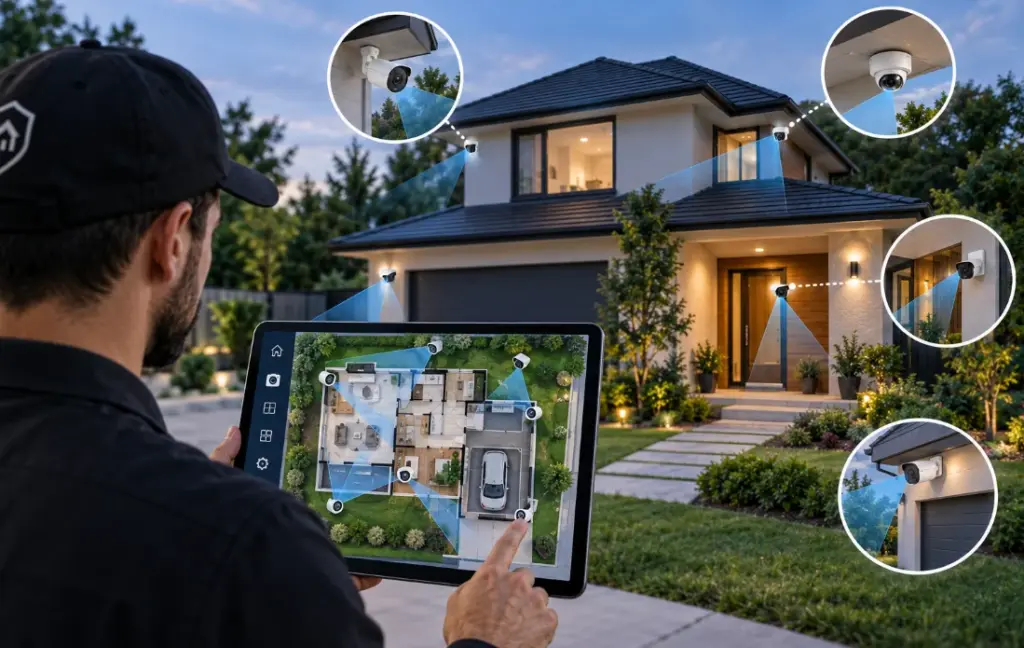
A doorbell covers one approach. The same geometry applies to every other entrance, and working through it room by room is what our guide to security camera placement by room sets out. If you are not sure which approaches are currently uncovered, the data on home security blind spots shows where break-ins actually happen and finds the gaps faster than guessing. If your doorbell is already firing at passing cars, the fix is almost always the detection zone rather than the camera, which is covered in motion sensor and alarm tuning. And if the footage is going somewhere you did not intend, smart home privacy covers what these devices send home.
Need Professional, Brand-Agnostic Guidance?
Shield N Shelter provides 100% independent residential security consulting with zero equipment markups and zero vendor kickbacks.