
It’s 2 a.m. Your internet drops. On top of that, your camera app is in offline mode, and a thought creeps into your mind: Is there anything being captured at this moment?
To be honest: it depends on the type of cameras you have installed. Even though it is offline, it doesn’t necessarily mean that it is not recording. However, for some systems, it’s what it says: nothing. Very few homeowners ever know until the night comes what type they have until the night of the need.
In this guide, you’ll learn about three different types of cameras, what each one does when the internet goes down, and how to do a five-minute test to tell you if your camera is what it claims to be.
Brands are provided as examples and are not for sale.
Three Architectures, Three Very Different Outcomes
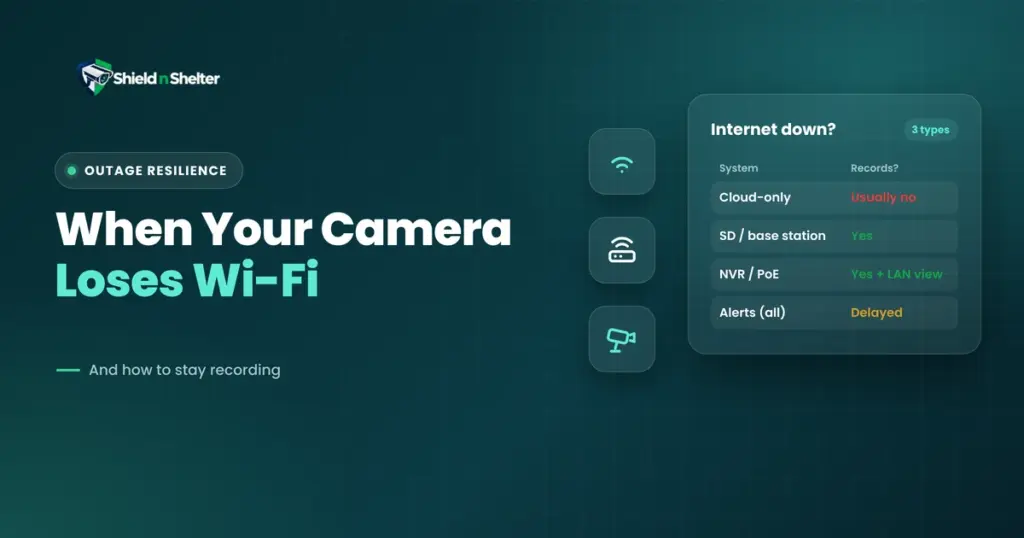
In a nutshell:
| Architecture | When the internet drops | Alerts and remote viewing |
|---|---|---|
| Cloud-dependent wire-free | Usually stops recording | Gone |
| Local recording (onboard SD card or base station) | Keeps recording | Gone until internet returns |
| NVR / PoE system | Keeps recording | Works on your home network, no internet needed |
1. Cloud-dependent cameras: dead without internet
These cameras transmit to a company’s servers and make a record of that. When the Internet is cut, there’s no place to send it. But in practice, if there’s no connection, there is no recording, and owners of the cloud-only system say so.
There’s a partial exception. According to Google’s product page about its more recent Nest Cam, the device will record up to one hour of events when WiFi or power is not available, after which it will catch up. It’s a good buffer for a shorter outage, but not a long-term plan.
2. Local recording: keeps recording, goes quiet
Motion detection and local storage keep the camera working even if there’s no power or internet connection, whether it’s a camera with an on-board microSD card or a camera that streams footage to a base station at home. According to Eufy’s own instructions, those cameras that store to local storage or a hub will keep recording during a power loss.
The downside of caching is the loss of push notifications and remote viewing. Customers of hub systems report seeing footage playing (and alerts) during outages and then seeing clips and alerts afterwards when internet is restored. There are two things to look out for: power for the base station, and the camera must be set for recording, not notifying. If using an SD card, check it occasionally, too. Cards start to get full and get ‘out of the game’ without warning, and no further data can be saved on their cards.
3. NVR and PoE systems: the full-function option
In this case, cameras are wired into a home recorder via Ethernet. It’s a combination of power and data on that cable, so there’s no need for the internet to work. You can record and watch live and recorded footage over your network.
Local Access, RTSP and Why They Matter
If you don’t have the internet, your home network still lives on! This still means that even with a local access system in place, you can still see video.
LAN access gives you the ability to communicate with the cameras in your home network rather than through the company’s cloud. Not all consumer cameras support this, and some apps will not run without a cloud login. Test ahead of use.
The protocol for streaming video from cameras over a network is a standard one called RTSP. If your camera supports it, a viewer or recorder app for your network can pull the stream directly, bypassing the cloud service. Look on the spec sheet for support: Many cloud-first cameras don’t have it.
An important security tip: use RTSP and local access within your home network, preferably on a dedicated IoT network that we covered in our router and network setup for smart home security post. Do not put the port(s) on the Internet so that it is accessible.
What a Router Reboot Actually Does to Your Footage
That’s the first thing everyone tests when the router goes awry, but here’s what really happens. Once you perform a restart, your internet and WiFi connection are disconnected for a few minutes, after which the cameras reconnect.
- Cloud cameras skip any event in that window, with no recording.
- SD card and base-station cameras keep documenting, and alerts arrive late.
- NVR systems keep recording, as long as the cameras and recorder can still reach each other.
The latter is important. However, if both the cameras and the NVR are on the same switch and network, a router reboot won’t affect them. However, if these two devices must communicate via the router (they must be on different networks, for instance), a router restart may pose a problem for recording. This is a design decision to consider.
Don’t Forget Power!
Internet and power outages are two separate issues. The switch, the router, and a base station must also have power to function in the NVR. A few seconds of outage keeps the whole chain alive with a small battery backup (UPS) on the recorder, PoE switch, and router. Wireless cameras have batteries, and a hub or router with no backup power can fail.
The Brand Argument: An Outage Is a Gap You’ve Never Tested
So… why this again?
The internet drop is tedious. A fault in the ISP, a broken router, a storm, a flat battery. And not very many people check out what the camera does when it does.
With our 5-layer model, cameras are used on Layer 2, the Exterior. Running a camera that depends entirely on an active internet connection creates an undetected vulnerability in that security layer. The local-first storage model solves this: Footage is stored locally first, with the cloud as a helpful afterthought rather than the only storage. Our Ring vs. Arlo vs. UniFi vs. Eufy vs. Nest comparison shows which ecosystems support it.
Test Your Outage Resilience in Just 5 Minutes!
What you need: Get your phone and access to your modem or router.
- Check your recording mode. Check each camera to make sure it is recording, which will alert you to it.
- Cut the internet, not the power to everything. Turn off the modem (or the cable from the modem to the router) and keep the router, hub, and recorder on. This actually simulates a real ISP failure.
- Stroll past each camera and record the time you did it.
- Wait a few more minutes, then test to see if you can open your app and view a live feed. Note what works the best.
- Restore the internet and see if each walk-past was recorded.
How to read it: recorded and viewable = resilient. Recorded but no alerts = local recording (normal). Nothing recorded = a cloud-only gap you now know about.
The Fix: Within Your Comfort
- Pick local-first storage: an SD card, a base station, or an NVR with PoE cameras.
- Add a small battery backup to the recorder and router.
- Keep cloud storage as an optional extra.
- And repeat the five-minute test once or twice a year.
If you’d like a self-reliant look at how your own cameras behave when the internet fails, that’s what an Existing System Optimization session checks, with nothing to sell you.