
A smart lock doesn’t have a power-hungry design by default.
In fact, most motorized smart locks usually run for months, if not years, with proper maintenance, on just four AA cells.
So, if you’re facing battery issues with smart locks, the problem lies somewhere else. For instance, loose fitting, background energy consumption, strict auto-lock customization, cold weather, excessive motor usage, etc.
Think of it like this. If you use a gas cylinder to cook on the stove 2-3 times a day, it’ll take quite a few weeks before you need a refill.
But if you use it up to 7-8 times a day, or better yet, slow-cook something 24/7, it’ll be merely days before you need to refill the cylinder.
The same principle goes for the smart lock batteries. It shouldn’t drain out on its own without the influence of external factors unless the hardware is faulty.
In this guide, we’ll have an elaborate discussion about what normal battery behavior looks like, what drags down the power output, how to choose the ideal battery for smart locks, as well as how to decode the warning signs.
Do Smart Locks Drain Their Batteries Fast? The Short Answer
Smart locks are a combination of batteries, a motor, a radio, a keypad or some sensors, and a small processor. So yes, they do use battery power to function, to energize the motor, and to charge up the processor.
But does that translate to frequent battery replacement? No.
A motorized lock should, at best, require two battery replacements a year. Anything but, and you should be concerned about external factors.
Another thing to consider: if the manufacturer claims a battery life of 8-12 months, you should take it with a grain of salt. This ‘promised’ battery life is suitable for light and ideal use only. Real-world performance under high-pressure environments may generate variable results.
Realistic Battery Life By Lock Type
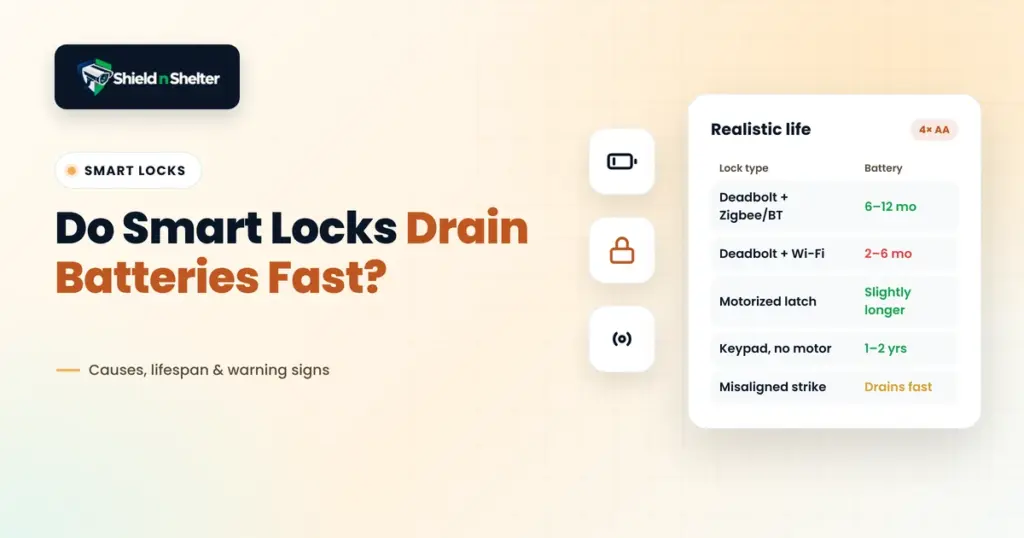
Here’s a brief overview of realistic battery life by different lock types designed for typical households. Note that door structure, lock fitting, climate conditions, and smart lock settings can produce different output.
1. Motorized Deadbolt with a Low Power Radio (Zigbee, Z-Wave, Thread, or Bluetooth)
These locks typically use four AA batteries with a shelf life of 6-12 months. If you use them lightly, they may run longer.
This battery-life range is also the benchmark of an ideal installation phase. Without the influence of extraneous conditions, this is the shelf-life you should expect in the first place after installing a brand new smart lock.
2. Motorized Deadbolt with a Built-In WiFi Radio
These locks take up more power due to the presence of the built-in WiFi radio. Batteries can last anywhere from 2 to 6 months.
WiFi, or similar virtual open-ended connections, use up a lot of power, and, as such, the motor works overtime, which plays a key role in draining the batteries.
3. Motorized Latch or Lever-Style Smart Locks
Instead of relying on deadbolts, these locks retract the latch. The configuration, however, is broadly similar to deadbolts.
As the latch load is lighter, the battery life lasts slightly longer than deadbolts, but the difference is not too much.
4. Keypad-Only/ Electronic Locks with No Motor
As there is no motor, the batteries of these locks last much longer. A motor utilizes most of the power in a smart lock. Without it, batteries can easily last for up to 1-2 years with no major maintenance.
However, there’s a catch with these keypad-only locks. You have to turn the thumbturn yourself to unlock the door. So, if you want extended battery life, you’ll need to compromise on automatic locking and do it yourself instead.
If you’re still unsure about battery life and the ideal lock system for your home, we’d suggest going through Shield N Shelter’s guide on Smart Home Security Ecosystem Architecture. It can help you understand how different device choices can influence the rest of your security setup within a budget.
Which Factors Actually Drain A Smart Lock?
Now that we’ve gone over the estimated battery life of different types of smart locks, let’s see which factors actually drain a smart lock:
1. The Radio
Normal, motorized deadbolts usually stay idle most of the time.
In such smart locks, low-power protocols such as Zigbee, Z-Wave, Thread, etc. are used for day-to-day operation. What do they do? They periodically check in, or, in other terms, wake up the lock briefly.
Some motorized smart locks opt for Bluetooth instead. Like Zigbee, Z-Wave, and Thread, Bluetooth also doesn’t use up much power. With a Bluetooth connection, you can locally control the smart lock and its functions.
A WiFi radio connection, however, is different. For starters, it’s connected to the router at all times. That means the lock rarely sleeps, as there are frequent check-ins and connection updates. The previous options utilize a hub or a bridge, but a radio connects directly to the WiFi.
As such, it draws more power and, in turn, drains the battery faster. The drainage rate goes up if there’s a weak signal. Due to the unstable connection, the lock retries messages. Every retry draws additional power.
Our guide to router and network setup for smart home security talks about these issues and how you can resolve weak connectivity around the house.
2. Auto-Lock Frequency
The motor draws power every time the door locks and unlocks. So, a smart lock that unlocks ten or more times in a day is going to drain more battery life than a lock that unlocks twice in that time frame.
Again, sometimes smart locks with auto-lock features unlock automatically for ventilation purposes. As there is no human supervision, sometimes the bolt may get stuck, the auto-lock feature may retract multiple times to close the door, and every attempt will require more power & sacrifice battery life.
What You Can Do To Resolve This:
- Extend the auto-lock delay. That way, doors won’t close immediately when you step out for a moment.
- Place a door-position sensor. The lock will activate when the door is actually closed. But make sure your lock supports the sensor.
- Turn off routine automations. This will help to avoid repeated triggers and lock commands for the smart locks to preserve battery health.
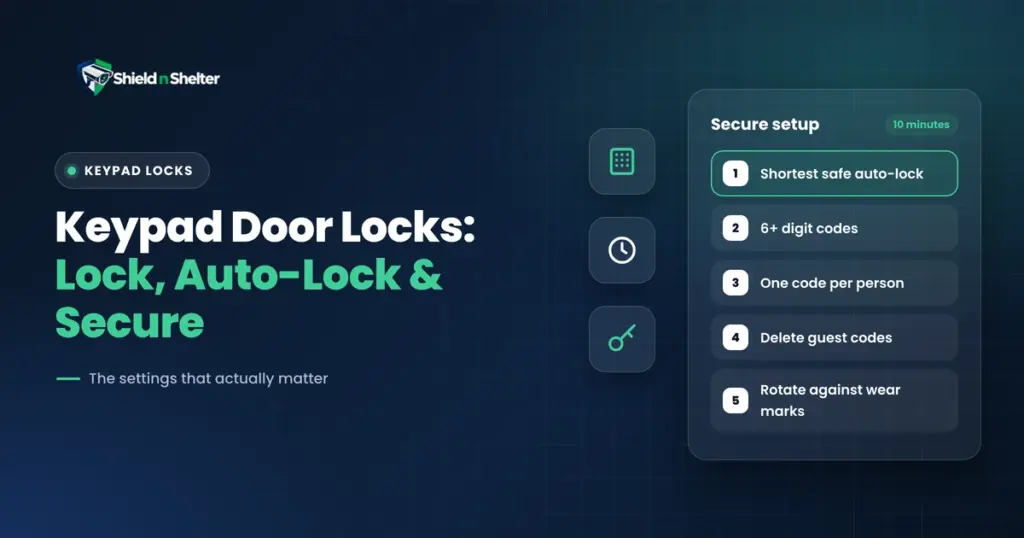
If you’re afraid of locking yourself out while making these changes, go over our guide on keypad door locks & how to actually secure them.
3. Unfavorable Door Alignment
This is an underrated and, surprisingly enough, one of the most common causes behind battery drainage of smart locks. Pay attention.
The motor of a smart lock usually moves along a freely sliding bolt. Now, if this bolt faces obstacles in the way, such as the doorframe, then the motor draws more current to push against the obstacle and complete the cycle.
This repeated friction accumulates over time, and the motor has to draw 2-3 times the usual current to function properly. As such, battery life goes down.
4. Cold Weather
Batteries lose capacity in cold weather. For instance, in freezing temperatures, alkaline cells generate considerably less energy. So, in winter, if the lock stays unguarded, it’ll affect the battery health aggressively.
5. Unnecessary Lock Features
Some smart locks come with backlit keypads, voice prompts, fingerprint readers, etc. While these seem fancy on paper, the reality is that they constantly run in the background and drain the battery significantly.
Battery Chemistry: What Should Ideally Go In The Battery?
Most motorized smart locks usually run on four AA cells. Depending on your choice of battery chemistry, you can proportionately extend battery life.
- Alkaline: The go-to battery approach. It’s inexpensive, available on every corner of the world, and its voltage decreases gradually. That means you get a warning early on. Their only foe is cold weather.
- Lithium (Non-Rechargeable) AA Cells: Lasts longer than alkaline battery cells and can combat the cold weather better than them. However, the voltage drops quickly near the end, giving you less time to change the battery before it fails completely.
- Rechargeable NiMH: Not recommended for smart locks as they run at a lower voltage. You may experience false low-battery warnings.
Low-Battery Warning Signs To Watch Out For
Here’s a list of some common low-battery warning signals:
- A colored LED flash with a beep.
- A direct, spoken message if your lock supports voice prompts.
- A direct notification to the app.
- Slow motor performance; sluggish movement or a strained noise.
- A dim keypad or unresponsive buttons.
- Periodic lock failures, especially in cold weather.
Important reminder: You’ll only get a limited number of warnings before the battery gives out. Also, it’s recommended to change all four cells at a time.
Quick Alignment Adjustment: The Fix That Solves Most Drain Complaints
Remember the underrated cause we talked about before? If the door alignment doesn’t favor the motorized lock, battery drain is unavoidable. The same misalignment is also a common reason a door automatically locks when closed.
Conduct the following test:
Keep the door open and let the bolt move freely. Now, close the door and repeat the process. If the bolt acts sluggish when the door is closed, it means that you have to adjust the door alignment to fit the lock properly.
Follow these steps for a quick fix:
- Check The Doorframe Itself. Are there any gaps between the door and the frame along the latch side? Is it even from top to bottom? If there’s narrowness towards the top, the hinges don’t fit.
- Tighten The Hinges. If there are loose hinges, the door remains uneven. Replace the screws of the top hinge and drive them deeper into the wall to bridge the gap and pull up the door evenly.
- Identify The Friction Point. Take lipstick or some paint and apply it to the bottom of the bolt to mark where it’s staggering. Notice how the bolt meets the strike plate and whether it’s off-center.
- Adjust The Strike Plate. Loosen the screws of the strike plate. Move it ever so slightly so that it lines up with the direction of the bolt.
- Retest After Adjustment. Close the door and use the thumbturn. It should move smoothly with no additional force. After that, run the motor and check if the straining noise is gone.
If the door is properly aligned but the battery drain issue persists, then look at the radio, lock settings, and cold weather. It’s hard to identify which specific part is the weak link, but finally identifying it is just as rewarding.
For more, walk through our guide on how to audit and fix home security system problems to catch real threats and resolve them instantaneously.