
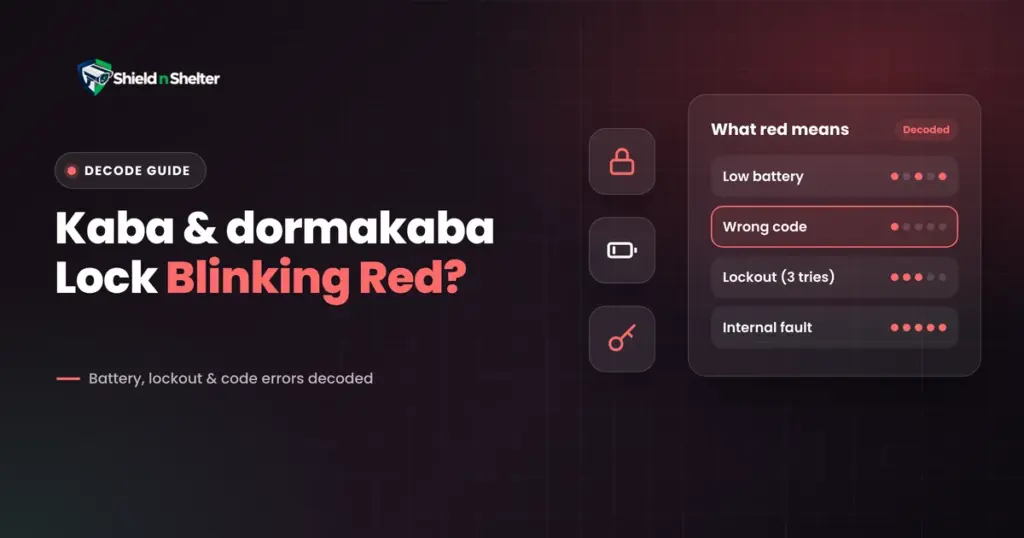
You’re at your front door. Arms full of bags, rain already starting, and your lock is blinking red at you.
Is it broken? Dying? Or worst, did you just lock yourself out of your own house?
Take a deep breath. A blinking red light is your lock trying to tell you something, and most of the time it’s a piece of cake to fix. This guide helps you decode what it’s trying to say, get inside safely, and make sure it never catches you off guard again.
We don’t sell locks, and we have no deal with Dormakaba or anyone else. This is just the simple, watered down engineering version.
First: “Kaba” Isn’t One Lock
Here’s the catch nobody mentions. Kaba and Dormakaba (also a combination of two companies many years ago) produce several very different types of locks; the hotel style card locks, the commercial keypad locks such as the E-Plex (for home models, see keypad door locks), mechanical push-button locks and smart locks for use in homes.
Each of them is lit with its own light code. Don’t mistake the meaning of one red flash for another. As a result, the table below is divided by family. If your lock is not included, be sure to consult it’s handbook or the dormakaba support website as it could take an hour to guess.
The only thing that is reassuring is that all the Simplex mechanical push-button locks are battery-free and have no lights, which means they can’t blink red.
The Decode Table
| Lock family | What you see | What it usually means |
|---|---|---|
| E-Plex keypad | Red and green flash synonymously after a correct code | It could be low battery warning. The door still opens, but change the batteries soon |
| E-Plex keypad | One red flash (about a second) after you enter a code | Access denied because of wrong code, or that code isn’t active |
| E-Plex keypad | Green flash while programming | Valid programming entry accepted |
| E-Plex keypad | Red flash while programming | Invalid entry |
| Dormakaba M-series smart lock | Red indicator flashing plus a low-voltage voice or alarm | Low battery |
| Dormakaba M-series smart lock | Voice says “keypad locked” after wrong codes | Lockout after 3 wrong PINs, for about 15 minutes |
| Dormakaba M-series smart lock | Red indicator flashing with a 30-second alarm | Tamper/damage alarm |
| Saflock and Community card locks | Alternating red/green or yellow/red | Low batteries |
| Saflock and Community card locks | Red flashing together with green or yellow | Needs resetting |
| Saflock and Community card locks | A pattern followed by all lights flashing four times | Internal fault. Time to call the service team |
A few notes on that table:
- On E-Plex, programming mode starts with # then the master code then #, and ends with #.
- E-PLEX also has a “Lockout Mode”, which can be activated by a manager and prevents all users but the master.
- It isn’t triggered by failed attempts.
- If codes suddenly fail to work and the battery is OK, ask if someone has turned it on.
- Not all families will have an automatic failed-attempt lockout so please verify if you have a manual.
The Four Reasons for a Red Blink
Almost all red blinks are due to one of these causes: low battery (most common and most friendly cause, most locks warn you before this occurs), wrong code, lockout after too many attempts or code programming error/fault.
What Happens When the Battery Dies Completely
When batteries are exhausted, the lock will not respond. The keypad turns black, your code does nothing and the door remains unchanged. It is because of that warning phase, for that reason. Any flash with low battery is not a suggestion, it’s a deadline.
Good news: you’re not stuck. You have two ways in.
Way In #1: The 9V Jump-Start
Some models have emergency contacts, or a port, to borrow power from a spare battery. The manual for dormakaba M-series instructs to connect a 9V square battery (or a Type-C adaptor) to the interface located below the front of the lock and then unlock the door. Others do it differently, and some models don’t even have a power point. Don’t check your manual while standing in the rain, check your manual today. If it functions properly, it will unlock the lock once. Replace the batteries immediately.
Way In #2: The Mechanical Key
Lots of electronic locks keep a normal key cylinder as a backup. That key is your insurance policy! However, not all models come with one and some streamlined keyless models don’t.
Three habits make the key useful:
- Know whether yours has one. In the absence of a keyhole assume that you don’t have one.
- Test it. Apply it once a year to ensure that it still operates.
- Keep a copy outside the house. A locked key is of no use when it’s stuck within a locked door. Give a spare to a trusted person.
How to Replace the Batteries (Without Making Things Worse)
- Replace all of them at once. Do not use a combination of old and new or brands.
- Use the type your manual specifies. The typical choice of keypad locks is fresh alkaline.
- Do it with the door open. This way, you will not be stuck in the middle of the swap if something goes wrong.
- Test straight away. Open door and enter your code then close the door.
- Check the door itself. A rubbing or sticking bolt shortens battery life. If your pets die young, then test first for alignment.
The Bigger Takeaway: Batteries Need a Schedule
Here’s what matters beyond Kaba. All battery-operated locks should have a scheduled battery change and an emergency way in test. If you don’t have both, it becomes a lockout hazard.
Locks are located in Layer 3 – Access Points in our 5 layer home security risk assessment model. A silent failure is a failure on that layer; a closed failure, with no back-up, is another type of failure: Locked Out.
Here’s the simple routine we recommend. It’s our suggestion, not an industry standard:
- Set a yearly reminder on your calendar for battery changes or earlier, if the manual advises. Avoid the “blink of an eye” delay.
- Once a year, test your override. Use the key and the 9V jump-start (if available) when the door is open.
- Keep a spare 9 volt battery in an accessible place such as a garage shelf or shed.
- Let someone know where you put your spare key.
Ten minutes a year. That’s the price of never getting stuck on the doorstep.
Quick FAQs
Why is my lock still blinking red after new batteries?
Red isn’t always about batteries, surprise! It can mean a lot of stuff, including a wrong code, a lockout, or a programming error. To be sure of it, look into the pattern to the table, and check if the batteries are fresh and inserted correctly.
How long does a lockout last?
From what we have tested, it is about 15 minutes on the Dormakaba M-series. Other models may vary.
Should I call a locksmith?
Yes, if the 9V jump-start and key both fail, or you see a fault pattern like all lights flashing four times.
If you’d like a customised look at every lock and entry point at your home, with nothing to sell you, that’s what our virtual home security audit is for. Take care!