
Cancelling ADT monitoring doesn’t mean you need to replace your entire home security system. Depending on your agreement, some equipment may belong to you, some may need to be returned, and some may still work with a different setup.
Before removing anything, it’s important to understand what you own, how to avoid tamper alerts, and which devices are worth keeping.
At Shield N Shelter, we take an independent, engineering-led approach to home security. Rather than recommending a complete replacement by default, we focus on the equipment you already have and the coverage your home actually needs.
Here’s how to approach ADT equipment removal safely.
1. Check Whether You Own the Equipment
Before reaching for a screwdriver, review your ADT agreement.
Equipment ownership varies by contract. Some arrangements involve customer-owned devices, while others include leased or company-owned equipment. Paying installation fees doesn’t automatically mean you own every component.
Look for:
- Equipment ownership clauses
- Lease or rental terms
- Financing arrangements
- Return requirements
- Removal responsibilities
- Cancellation fees
If ADT owns certain equipment, you may be required to return it. Some agreements also address whether the company is responsible for repairing walls or other surfaces after removal.
Get written confirmation before removing or disposing of equipment that may belong to ADT.
Ask which devices you can keep, which must be returned, and whether professional removal is required. Follow ADT’s specific return instructions if applicable.
Checking your contract first can prevent unnecessary damage, fees, or disputes later.
2. Disarm the System Before Removal
Once ownership is clear, prepare the security system before touching any sensors.
ADT equipment may include tamper detection, which identifies physical interference such as opening a cover or dislodging a device. Removing a sensor can therefore trigger an alert, even when you’re performing routine maintenance.
Before starting:
- Disarm the system using the authorized method for your model.
- Check whether the manufacturer’s instructions specify a maintenance or test procedure.
- Confirm your monitoring cancellation arrangements.
- Identify the devices you intend to remove.
- Keep the system documentation available.
Disarming the alarm doesn’t automatically make every component electrically safe. If you encounter mains-powered equipment, unfamiliar wiring, or life-safety devices, stop and seek qualified assistance.
If a tamper alert continues, identify the affected device and follow the appropriate manufacturer’s instructions. Avoid repeatedly opening equipment without understanding the cause.
3. Remove Surface-Mounted Sensors Carefully
Many ADT installations use door and window sensors consisting of a sensor body and a corresponding magnet. Together, they detect whether an opening is closed or open.
Some sensors are wireless, while others are connected to wired alarm circuits. Identify which type you’re dealing with before attempting removal.
Wireless sensors
Surface-mounted sensors may be secured with screws, adhesive, or both.
For a device you’re authorized to remove:
- Identify the sensor and its magnet.
- Follow the model-specific preparation instructions.
- Inspect how the sensor is attached.
- Remove mounting hardware using suitable tools.
- Avoid pulling aggressively against the wall.
- Keep the sensor and magnet together if you plan to reuse them.
Adhesive-mounted devices can pull away paint or damage drywall paper. If a sensor resists removal, don’t force it. Determine how it’s attached before proceeding.
The magnet is an essential part of the sensor assembly, so keep it with the corresponding device.
Also, don’t assume a sensor will work with another alarm system simply because it looks similar. Compatibility depends on the communication protocol, frequency, and receiving equipment.
4. Treat Hard-Wired Sensors Differently
Hard-wired sensors connect to the alarm system through physical wiring. A typical installation may include door contacts, concealed cables, junction points, and a central panel.
Removing the visible sensor doesn’t necessarily remove the entire electrical circuit.
Disconnecting wiring without understanding the installation can create faults, leave exposed conductors, or affect other connected devices.
If you cannot confidently identify the circuit and its electrical characteristics, professional removal is the safer option.
This is especially important when wiring involves mains electricity, unfamiliar connections, or life-safety systems.
If you want to reuse existing wiring with another alarm panel, have a qualified installer assess its condition and compatibility first. The goal is a controlled transition, not simply making the old panel stop reporting errors.
5. Repair Screw Holes and Adhesive Damage
Removing sensors can leave screw holes, adhesive residue, or damaged paint.
For small holes in painted drywall, a typical repair involves filling the opening with suitable compound, allowing it to dry, sanding as appropriate, and applying matching primer and paint.
The exact method depends on the surface. Plaster, wood trim, and textured walls may require different treatments.
Adhesive removal also needs care. Aggressive scraping can worsen paint damage, especially on older walls.
If you rent your home, check your tenancy agreement before removing installed equipment or making repairs.
6. Replace Batteries in ADT-Branded Locks
ADT-branded smart locks deserve separate attention because they control physical access to your home.
Cancelling monitoring doesn’t necessarily disable a lock. However, its available features may depend on the specific model, hub, app, or service arrangement.
If you plan to keep using the lock, follow the manufacturer’s maintenance instructions.
Before replacing batteries:
- Identify the exact lock model.
- Consult its official manual.
- Use the recommended battery type.
- Understand low-battery warnings.
- Confirm that the lock works correctly after maintenance.
Don’t assume every ADT-branded lock will operate independently of its original service. Local locking, remote access, app functionality, and integration options can vary.
Verify the lock’s capabilities before relying on it as part of your home’s access-control system.
7. Decide What to Keep and Reuse
Cancelling monitoring doesn’t mean every existing device needs to be discarded.
Evaluate each component based on its condition, function, and compatibility.
Door and window sensors: Some may work with another alarm platform, but compatibility must be confirmed.
Motion sensors: Reuse depends on the sensor’s communication protocol and the replacement controller.
Existing wiring: Wiring in good condition may reduce installation work if it is compatible with the new system.
Cameras: Check whether cameras support independent operation, local recording, or integration with another platform.
Smart locks: Consider battery performance, local operation, and integration options before deciding to retain them.
Some proprietary devices depend on their original hub or communication protocol. ADT’s terms caution that certain equipment may not be compatible with other alarm or home automation providers.
That doesn’t mean every ADT device is unusable elsewhere. It means compatibility should be established individually rather than assumed.
8. Consider an Open Security Ecosystem
A replacement system built around an open ecosystem may offer flexibility when choosing equipment from different manufacturers.
However, open compatibility isn’t universal.
Before purchasing a new controller, investigate:
- Communication protocols
- Sensor compatibility
- Local versus cloud-dependent operation
- App requirements
- Firmware support
- Battery reporting
- Camera and lock integration
A controller might support certain wireless sensors but not a proprietary lock. Similarly, a camera may operate independently while offering limited integration with the alarm system.
Understanding these limitations before buying can help prevent unnecessary expenses.
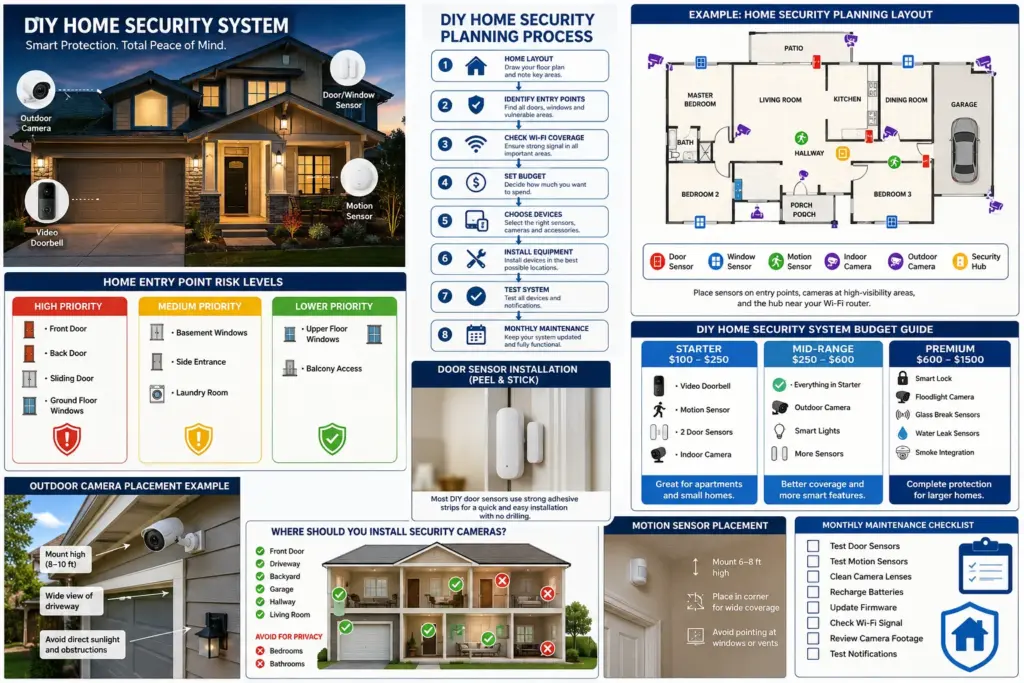
9. Plan Coverage Before Buying New Equipment
Instead of choosing a replacement package immediately, assess what your home actually needs.
Review:
Entry points: Which exterior doors and accessible windows require monitoring?
Movement detection: Where would motion sensors add useful coverage?
Cameras: Which locations would benefit from visual awareness?
Environmental risks: Do you need smoke, carbon monoxide, water, or temperature monitoring?
Access control: Should your smart lock operate independently of the alarm system?
Once you’ve mapped these requirements, determine which existing devices can be retained and where new equipment is necessary.
This approach helps avoid replacing functional components simply because the monitoring contract has ended.
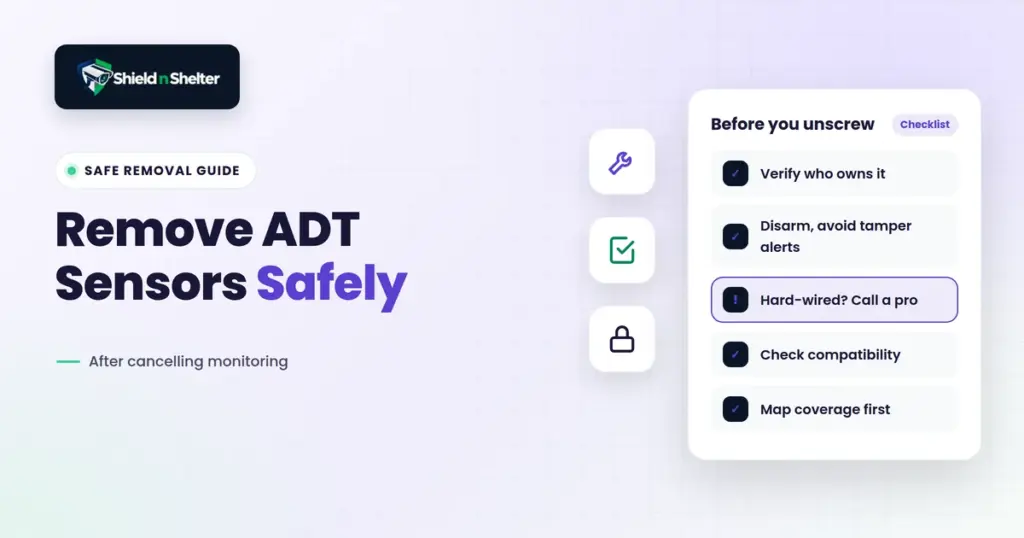
Final Checklist
Before removing ADT equipment, confirm that:
- Equipment ownership has been verified.
- Lease and return requirements are clear.
- Wireless and hard-wired devices have been identified.
- The system has been prepared according to applicable instructions.
- Potential tamper alerts have been considered.
- Life-safety equipment remains functional.
- Wall repairs have been planned.
- Lock battery requirements have been checked.
- Compatibility has been verified.
- Replacement coverage has been mapped.
The Bottom Line
Cancelling ADT monitoring doesn’t automatically mean starting from scratch.
Some equipment may be yours to retain, while other devices may require return or professional handling. Certain components may also be reusable but incompatible with your preferred replacement system.
The practical approach is to verify ownership, remove equipment carefully, assess compatibility, and plan security coverage around your home’s actual needs.
At Shield N Shelter, we believe informed security decisions begin with understanding the system you already have. A replacement should address genuine coverage requirements—not simply replace every device because a monitoring agreement has ended.