
Be honest: when did you last change the code on your front door?
If the answer is “the day I installed it,” you’re in good company. Most of us give them our code once and give it to the dog walker, the plumber, the cousin who stayed a week, and perhaps an ex. People who remember it, years later, don’t remember.
This article solves the problem. First, the how-to bit: how to change the code of a Yale push-button lock. Now the part that nobody speaks about: when and how often to replace them.
Quick note: We are not lock salesmen, and we have no affiliation with Yale. They are just a very common brand and make a handy example.
First, a Heads-Up: Not All Yale Locks Work the Same
There are several different lines of keypad models made by Yale. Yale manufactures several different keypad lines, including Assure, Real Living, and older models. The differences in the button presses are between the models.
So, we are not going to provide you with one “magic sequence”. But if we get it wrong, you might find yourself locked out, and no one wants that! Rather, here’s what is true for all of them and where to find your specific steps: On the inside of your lock, you will find the model number; on Yale’s support site, you will find the manual or programming card for the specific model.
Three things are the same everywhere:
- There are two kinds of codes. The master code controls the settings and can add/remove all the people. The door is opened by user codes only.
- You can’t edit a user code. You can change one by deleting it and adding another one.
- Set the master code first. In the case of Yale’s push-button deadbolt, the factory default is listed in the manual—anyone can check it out. Replace immediately.
How It Works, Step by Step
1. Set or change the master code
Turn the keypad on, type in your current master code, select the “master code” function, then type in your new code and confirm.
Tip: Use 6 or more digits. Yale’s own manual suggests this and says to keep it separate from the code you use every day.
2. Add a user code
Type in the master code, select “add user”, select an empty box, and enter the new 4- to 8-digit code.
Basic Yale push-button locks have a capacity for 25 user codes. A network module can be used in models to contain up to 250.
3. Delete a user code
Type in the master code and select “delete,” and then select the slot. Some models can also delete all of the user codes simultaneously. That will not affect your master code.
4. Factory reset
Forgot the master code? Placed in a location with an aged lock? The reset is available without any code:
- Remove the cover from the battery and remove the batteries.
- To reset the lock, open the inside of the lock and locate the reset button.
- Hold it down for a minimum of 3 seconds as you replace the batteries.
- Let go.
Note: A reset will remove all data, including the master code. After this, you can only create a new master code. So select a strong one right off the bat, and then add back your users.
Furthermore, since a reset requires only the inside part of the lock, it’s worth keeping in mind that the door is also significant. If there is a glass panel through which someone can penetrate to the inside, the code of the lock will not save you.
The Part Nobody Writes: A Simple Code Rotation Plan
Changing a code is easy. Knowing when is the tricky part. Most are just doing it because something has gone wrong. This is easily solved with a simple plan.
Yale’s own support handout for those taking over a home is a useful three-step procedure: swap out the programming code, delete any user codes, and then install new ones. Take that as your Go-to “reset everything” procedure.
Here’s when to use it:
| When | What to do |
|---|---|
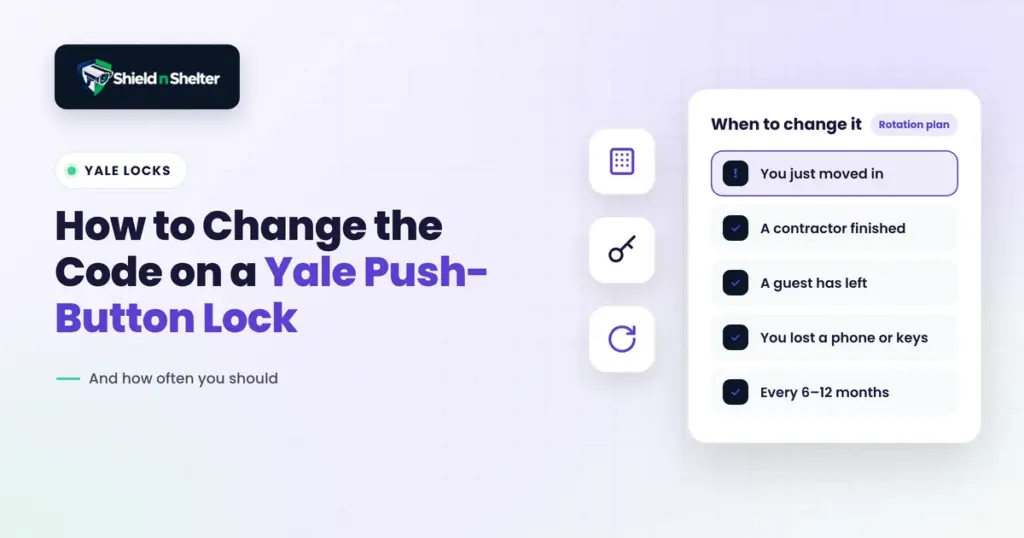
| You just moved in | Do the full routine right away. You have zero idea who the last owners shared the code with. |
| A contractor or cleaner finished | Delete their code the same day. |
| A house sitter or guest stayed | Give them their own code, then delete it when they exit. |
| A relationship ended | Change everything, master code possessed. Don’t wait and see. |
| Nothing happened (just routine) | Our suggestion: refresh shared codes every 6 to 12 months. That’s a good habit, not an official rule. |
| You lost a phone, bag, or keys | Change the codes first, panic second. |
If you’ve just moved, this goes high on your list. Add it to your move-in security checklist, right next to changing the locks and the Wi-Fi password.
Give Everyone Their Own Code
Suppose 5 people have the same code. If the lock is a logging type, nothing is documented but “code 3” opened the door. It doesn’t mean anything.
Assign a unique code to each participant and the log becomes meaningful – you can now see who has arrived and when.
The only problem is that basic keypad locks will not maintain an individual history for everyone. Logs typically require a connected model, module, or app. No logs? Unique codes are still helpful, as a person can cancel one code without affecting any other person.
Use temporary codes for guests and workers if applicable to your model (more in our guide to keypad door locks). They “expire” on their own, so there is no need to remember.
Don’t Reuse a PIN From Anywhere Else
Your door code should not be your PIN or similar number that you use for other accounts. It’s not your bank card PIN, your phone passcode, your alarm code, or your garage pass code.
Even skip the obvious ones: your birthdays, anniversaries, 1234, 0000 (but just 0, not 00), repeated numbers, and your house number. These are the first things that people go to.
Pick something that looks random, and store it in a password manager rather than on your cell phone.
The Quick Version
- Pick a strong master code, 6+ digits, and never keep the default.
- Give every person their own code, and delete it when they’re done.
- Change codes after a move, a breakup, a lost phone, or a contractor visit.
- Refresh shared codes every 6 to 12 months.
- Never reuse a PIN from somewhere else.
Frequently Asked Questions
How do I change the code on my Yale lock?
Enter your master code, choose the option you need, and follow the prompts. The exact button presses vary by model, so check your model’s manual or programming card.
What’s the default master code on a Yale lock?
It’s written in the manual, which means anyone can look it up. Change it the moment you install the lock.
I forgot my master code. What do I do?
Do a factory reset! Just hold the reset button inside the lock for at least 3 seconds while you put the batteries back in. It erases every code so no worries.
Can I change a user code without deleting it?
No. Delete the old code and add a new one in that very slot.
How many digits can a code have, and how many codes can I add?
Codes are 4 to 8 digits. Basic push-button models hold up to 25 user codes, and models with a network module can hold up to 250.
Can the previous owner still open my door?
Yes, if their code is still saved.
Want a second pair of eyes on every lock and entry point at home, with nothing to sell you? That’s what our virtual home security audit is for.