
An empty house gives off an ominous signal.
The mail piles up in the letterbox, grass grows longer in the courtyard, the porch light stays on at odd times, and eventually, intruders find an opportunity to strike.
If you own a second home, run a vacation rental, or simply travel a lot, vacation home security is something you cannot take too lightly. Most burglaries and home invasions take place in the absence of the homeowner, and as such, you must go the extra mile to protect your belongings.
And no, you don’t have to go for blaring horns or blazing guns, i.e., unnecessarily expensive alarm setups with loud sirens. You want to send the intruders to jail, not to the hospital.
Plus, these ultra alarm companies will also charge you a mouthful every month, and you’ll get billed for years for no particular reason. Today, we’re going to make it easier for you and introduce the local-first security approach instead to save both your dime and your energy.
This guide will go over the ins and outs of remote home monitoring – how you can set up local-first recording and access the footage from anywhere in the world. We’ll tell you all about what to buy, what to install, how to connect the devices, and most importantly, what to avoid.
Necessity of an Integrated Security Strategy for Empty Homes
Normally, if you live in a house, you follow a certain routine every day. For instance, you pick up the newspaper every day, the lights go out at a certain time every night, and you may even hold BBQ parties once in a while with your friends and family in the backyard.
This shows that you’re actively participating in household management. Neighbors know your face, and alternatively, you know theirs. They know whom to deem as strangers when you’re out.
This changes when you’re not at home for a long time. Things start to go unnoticed. New faces are no longer as strange as before to the neighbors. Normally, you might have noticed a broken latch or a strange noise immediately and stepped up to resolve it promptly.
But when your property is sitting empty for weeks, there is no one to notice these irregularities.
Without an integrated security strategy, three outcomes usually take priority:
- Stretched-Out Detection Time: If a break-in takes place in an occupied home, you’ll know about it within hours. In an empty home, it can take weeks or even months before someone finds out that the whole house has been stripped clean of valuables.
- No In-Person Actionable Steps: Even if you want to resolve the security breach yourself, you usually can’t. You have to rely on the local police or complete strangers to go through the inventory and check if everything’s there.
- Failure to Identify Non-Crime Risks Early: Not all losses come from direct burglaries. Short circuits take place, water leaks damage the walls, power cuts damage fridges, geysers, thermostats, HVAC systems, etc. Over time, they pose serious threats.
In short, you need to monitor your house and set up suitable actionable steps for emergencies. Without doing so, your house may cease to exist when you return to it after a long vacation.
Go For Remote Monitoring Without Monthly Contracts
Monthly contracts are usually a poor fit for vacation home security. And here’s why:
- You get looped into multi-year contracts anyway. Look at the following options: $100 monthly, $200 quarterly, and lastly, $600 yearly. Which one would you choose? Surely, the $600 yearly offer would seem like the best value for money. But that’s just it. Previously, you were ready to spend only $100, but now you’re spending $600 at a time.
- Monthly contracts aren’t suitable for second homes. They make sense for primary residences because they require 24/7 supervision for your safety. But if you only spend six weeks a year in a place, monthly contracts for it are purely a waste of money.
- You might get subscription-locked out of your own security recordings. If you stop paying, i.e., renewing the contracts, you may not be able to access previous recordings.
- Contracts also create complications for seasonal use. If you stop a service abruptly, you may need to pay extra fees. It’s also going to be messy getting all the equipment out of the house. To be on the safe side, you should know how to remove ADT sensors and devices safely after canceling such subscription-based services with personal equipment.
What Does ’Local-First’ Actually Mean?
Local-first means that instead of relying on a third-party cloud service provider, you control the storage centrally to back up all your data and security recordings.
It could be a hard drive in a network recorder, an SD card, or even a small base station. You can still use the cloud, but as a remote-access service; i.e., it won’t store all your data.
Practically speaking, the local-first approach grants you the following benefits:
- No recurring fee or monthly contracts needed. You can capture, access, and store security footage for as long as your disk has space. No need to subscribe to external storage.
- Data retention even when the internet’s down. The cameras continue to record, and you can review the footage once everything goes back online.
- You can enjoy more privacy. Your data belongs to you, and it isn’t relayed to you via as many third-party providers. Limited access means extra privacy and security.
Well, what about the drawbacks?
- Hardware management. You need to buy, store, and manage recording devices, sensors, etc., of your own if you want to control the data.
- Safe installation and preservation. If a thief decides to steal the recorder itself, he’ll gain access to all the stored footage. So, the primary recorder should stay hidden. There should be extra security parameters before you can physically access it. Also, you should back up all your data and keep an off-site copy of important recordings.
How to Set Up Remote Home Monitoring From Abroad?
Remote home monitoring isn’t just about placing cameras around the house. Rather, it’s about managing a stable network setup with consideration of the blind spots around the property.
Your supposedly ’smart’ home can go blind within moments if the router resets, the ISP drops, or the power blinks. So, you must prioritize the router and network layout.
Our guide to router and network setup for smart home security already covers segmentation of cameras from remaining devices, management of default credentials, and use of updated firmware.
For vacation home security, however, focus on these additional measures:
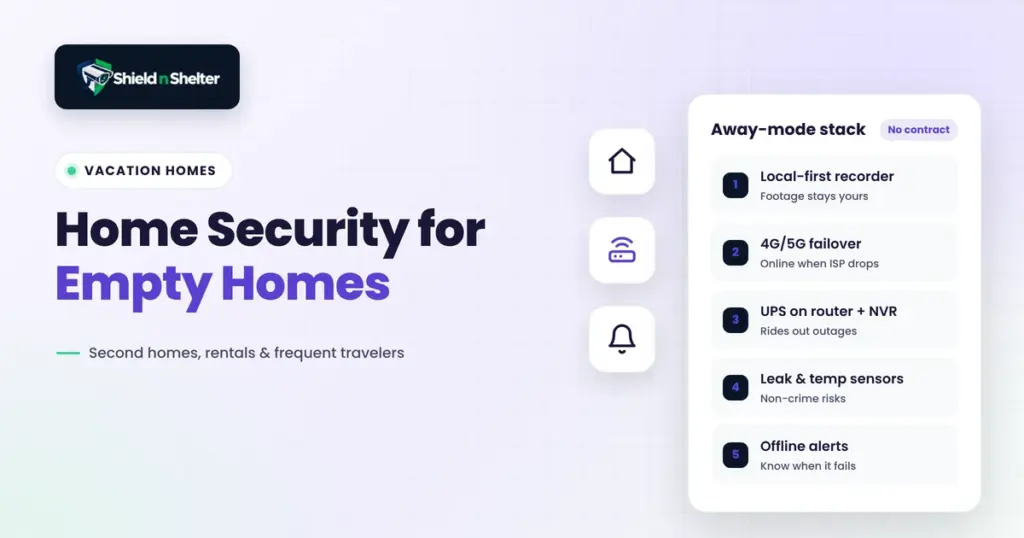
- Ensure backup internet. You can use a cheap 4G/5G failover router for backup. So, even if the main line dies, the cameras can still function for the time being.
- Protect the main power devices. You can add a small UPS on the router and the recorder. That way, these devices can cleanly and safely ride out irregular power outages.
- Configure remote access and avoid public domains. Don’t expose your recording devices and data hubs to the open internet. Instead, use a VPN or the remote-access feature of the platform itself. Several local-recording platforms, such as UniFi Protect, support remote viewing without a mandatory video subscription. It’s best to conduct some market research and go through the terms before investing in these platforms for remote access.
- Set up offline alerts. Turn on notifications for when your camera or recorder goes offline. That way, you can detect system failures early and take necessary steps.
All your devices need to work together and present a united front against intruders.
And if you need ideas on which platform to choose, check out the Ring vs. Arlo vs. UniFi vs. Eufy vs. Nest comparison guide to find out which ones support local storage over subscriptions.
The Shield N Shelter Approach: Planning a Security Checklist for Vacation Rentals
Here’s a short overview of the factors we’d prioritize to protect your second home:
- Securing The Entryways. The camera placement would involve the front door, the back door/the garden door, the garage door, ground-floor windows, and patio sliders.
- Sensors Where Cameras Are Ineffective. Contact sensors would be placed on doors and windows—water-leak and temperature sensors to detect environmental failures.
- No Room For Alert Fatigue. It’s easy to dismiss small alerts when you’re having a fun time vacationing around the world. So, false alarms should be identified and deactivated. For instance, if you use Ring, here’s how you can fix Ring motion alerts going off all day.
- Deter Intruders With Actionable Steps. Place smart, low-energy bulbs around the house with randomized schedulers. Visible, active cameras also deter most low-life criminals.
- Don’t Use Home WiFi To Set Up Remote Access. Use mobile data instead.
- Check Recorder Storage Settings. Is there enough free space? Will the recorder overwrite old footage to preserve new recordings instead?
- Physical test of all sensors and alert systems. Before you leave the home, it’s important to test all sensors to see if they’re functioning and sending necessary alerts promptly.
- Hire/Entrust A Local Contact. In your absence, they will check out the alerts and decide on further actionable steps to protect your vacation property.
- Hide The Main Recorder & Router. Secure these two devices properly; use passcodes that only you know and keep them in places thieves can’t easily reach or access.
How To Ensure Vacation Home Security With Guests Around?
If you rent out the property, you have to ensure guest privacy as well as home privacy. Here’s how you can balance both factors without compromising on security:
- Avoid placing cameras in bedrooms and living spaces. To maintain the privacy of the guests, don’t place indoor cameras in any of the common areas. If you do place cameras in the hallways or corridors, maintain clear disclosure policies.
- Use exterior cameras only if possible. Even guests require safety measures. So, cover all exits & entrances for maximum safety. Disclose the cameras clearly before renting.
- Use motion sensors indoors. You can use door contact sensors, water-leak sensors, etc., for home safety without recording your guests directly.
For more, read our guide on smart home privacy & stop your devices from leaking others’ data.
Remote Home Monitoring: Don’t Forget About Leaks, Power, and Temperature
Did you know that, in 2023, 24% of all reported fires occur in residential homes? Again, in the same year, according to the CDC, more than 500 people died of accidental CO poisoning.
Property and life damage don’t occur due to invasions only; rather, an unkept house may incur costlier fees than some misplaced valuables. So, remote security measures are necessary to detect pipe bursts, freezer failures, power outages, and so on. For instance:
- Place water-leak sensors under or by sinks, faucets, water heaters, washing machines, etc.
- Place temperature sensors to detect temperature irregularities inside the house.
And most importantly, make sure these devices link to the same alert system as the central recording one. That way, you won’t miss out on any important alerts or forget to check on them.
Final Thoughts
To protect your empty home, whether it’s a second home or a vacation rental, you don’t have to spend a fortune or engage in monthly contracts with security companies. Rather, you can strategically design a security blueprint of your own with remote home monitoring.
First, you have to identify all the entry points, opt for a local-first recording approach, connect all the devices, and set up alerts that you’ll actually notice. With these simple but easily doable steps, you’ll know what’s happening in your house even if you’re on the other end of the world.